
Redeem a voucher at checkout
Updated Last verified against the product
In short
To redeem a voucher in Velarya, open the visit's checkout from Front Desk, Calendar or Transactions. A treatment the patient holds a voucher for shows Voucher available: select Apply voucher and one unit of it is free. Select Confirm redemption when nothing is left to pay, or take the rest with wallet credit, card or cash.
- Who can do this
- Admins and roles with Transactions / orders set to Edit and Wallet, points & credits set to View
- Applies to
- Your whole practice, every location
- Plans
- Basic, Scale, Branded and Connected
- Time
- 2 minutes
Before you begin
- The patient holds a voucher for the treatment, from a membership, a referral, the sign-up bonus, a birthday gift or a treatment they bought in the app: How memberships work and Set up a birthday gift.
- The visit or sale is not paid yet.
Redeem a voucher at front desk checkout
The checkout panel in Velarya shows each voucher a patient holds next to the treatment it pays for, so the front desk applies it before taking payment.
- Open the visit’s checkout. On Front Desk or Calendar, select a completed visit and select Open Checkout, or drag its card into Completed on Front Desk. In Transactions, open the sale and select Collect payment.

- Look down the Transaction Summary. A treatment the patient has a voucher for shows Voucher available, followed by where the voucher came from, such as their membership.
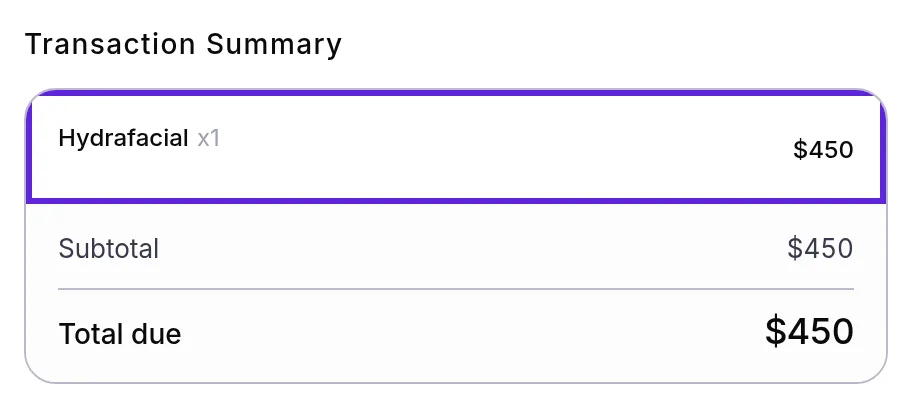
- Select Apply voucher. Velarya reprices the sale: the treatment’s price is struck through, the line reads Voucher applied, and a Vouchers row takes one unit off the Total due at the patient’s own price, their member or birthday price when they have one.
- Apply any wallet credit the patient wants to use, up to their wallet balance or the Total due, whichever is less. A Credits row shows the amount.
- Select Confirm redemption when nothing is left to pay. Otherwise choose Card on file, Card, Reader, Cash, Other or Split payment and charge the rest, as Take payment at checkout shows. “Redemption confirmed!” or “Payment successful!” appears, and the panel shows Checked out.
- Select Email receipt or Print receipt if the patient wants a receipt, then Done. The sale is paid and the voucher is used.
Redeem a voucher on a new sale
New Transaction in Velarya rings up a sale with no appointment, such as a walk-in treatment, and offers the patient’s vouchers on each treatment you add.
- Select Transactions in the left sidebar, then New Transaction.
- Under Customer, search for the patient and select them. Badges show their membership, their wallet Credit and any points they hold.
- Select Add service, tick the treatment and select Done. The line shows the patient’s own price, and Total due reads “Calculating…” until Velarya has priced the sale.
- On a treatment the patient has a voucher for, Service perk available appears. Select Redeem. The line shows a Voucher badge, and its price drops by one unit, with the full price struck through.
- Enter any wallet credit the patient wants to use in Use Credits ($) under Payment & Totals. The summary shows a Credits row and the new Total due.
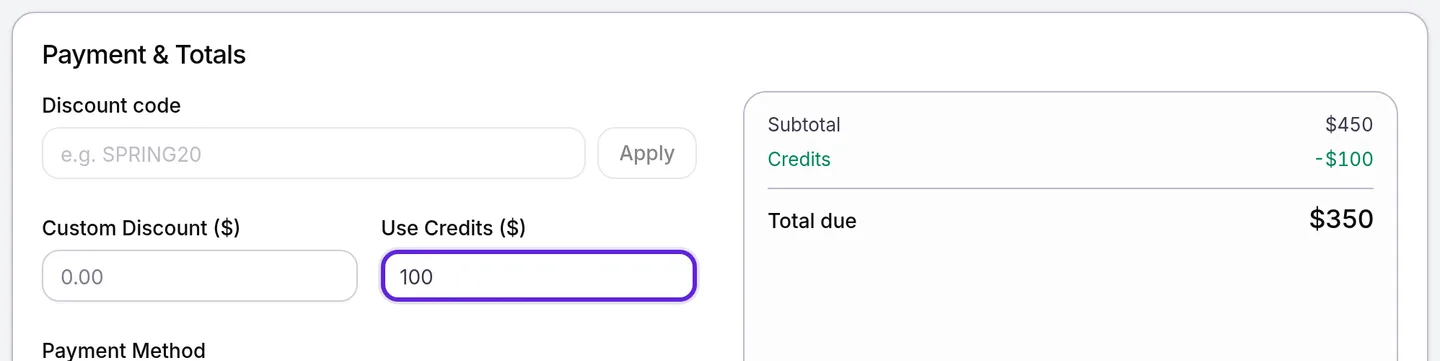
- Choose a Payment Method and select Complete Transaction, or Charge on reader for Card reader. “Transaction completed successfully” appears, and the voucher is used once the sale is paid. When vouchers and credit cover the whole sale, Total due reads $0 and the sale completes with nothing charged.
Where do a patient’s vouchers come from?
A voucher in Velarya is a free treatment waiting on the patient’s account, and every source below is redeemed the same way.
| Source | When the patient gets it | How long it lasts |
|---|---|---|
| A membership plan | Each voucher cycle, or when the member picks a choice voucher | Until the end of that billing period |
| A referral reward set to Free service | When the referral is rewarded | Until used |
| The Sign-Up Bonus set to Voucher | When the patient joins in the app | Until used |
| A Birthday Gift set to Free service | On the patient’s birthday | Until used |
| A treatment the patient bought in the app to book later | When the purchase is paid | Until used |
Your team sees every voucher a patient holds on their profile: open the patient in Clients and select Memberships & Wallet, which lists each voucher with its treatment, where it came from and any expiry date. Loyalty notifications patients receive lists the reminder members get before a voucher expires, and How vouchers work covers every source, expiry rule and what a voucher pays for.
To give a member more time, select the clock icon on the treatment under Membership perks on the same tab. In Override Expiry Date, pick a New Expiry Date and select Save Changes. “Benefit updated successfully” appears, the perk shows the new date, and checkout offers the voucher until then.
What do patients see?
Patients see their vouchers in the patient app, each with its treatment and any expiry date. Each voucher also shows as Needs Scheduling on the Home and Calendar tabs, where it opens booking for that treatment.
- After a redemption, the voucher leaves their list.
- Wallet credit you apply comes off the Available balance on the Rewards tab, and the spend shows in Activity under Transactions.
How does voucher redemption behave?
Voucher redemption in Velarya takes one unit of the voucher’s treatment off the bill, and wallet credit then pays toward what is left. How patients build that credit is in How points work.
| The visit | The patient holds | What you apply | Left to pay |
|---|---|---|---|
| A Hydrafacial, $450 | A Hydrafacial voucher | The voucher | $0: select Confirm redemption |
| Two Hydrafacials, $900 | One Hydrafacial voucher | The voucher | $450 |
| A Hydrafacial, $450, with a $75 add-on | A Hydrafacial voucher | The voucher | $75 |
| A Hydrafacial, $450, and a chemical peel, $380 | A Hydrafacial voucher and $100 of credit | The voucher, then $100 of credit | $280 |
| A Hydrafacial and a chemical peel, for a member whose plan takes 10% off | A Hydrafacial voucher | The voucher | $342: the voucher takes the Hydrafacial at its $405 member price, and the peel costs its $342 member price |
Velarya takes the credit from the wallet when the sale is paid, never more than the sale needs, and the transaction shows it as Credits applied. Credit your practice gave the patient, such as redeemed points and bonuses, is spent before credit they paid for.
| Situation | What Velarya does |
|---|---|
| The patient holds vouchers, but none for this visit’s treatments | Shows a banner with how many unused vouchers they have, and that none match this checkout’s services |
| The patient redeems at another of your locations | Accepts every voucher. With Cross-location voucher redemption off (it is on by default), a membership voucher works only at the location where the patient joined |
| Two front desks redeem the same voucher at once | Lets the first one through and refuses the second |
| The visit also has a discount code | Takes the voucher first. The code works on what is left, so it is never spent on the treatment the voucher pays for, and its minimum spend counts only what the patient pays |
If something goes wrong
A treatment doesn’t show Voucher available. A voucher pays for the exact treatment it names, so compare the visit’s treatment with the patient’s vouchers on their Memberships & Wallet tab. An expired membership voucher no longer appears; extend it as described above.
No vouchers show for any patient. Seeing vouchers takes Wallet, points & credits at View. Ask an Admin to update your role in Roles & Permissions.
“One or more vouchers are not redeemable for this client”. The voucher was used or expired after you opened the checkout, often at another desk. Close the panel, open it again and take payment for the treatment.
“Voucher cannot be redeemed at this location. Cross-location redemption is disabled for this organization.” The membership’s vouchers belong to the location where the patient joined. Redeem it there, or have an Admin turn on Cross-location voucher redemption in Organization settings > Memberships.
“Insufficient wallet balance for the credits applied”. The wallet holds less than the credit you entered. Check the Credit badge or the Wallet total on the patient’s profile and apply that amount or less. To correct a balance, see Adjust a patient’s points or wallet credit.
“1 service still needs its options configured”. A treatment on the new sale needs its Variation or another option before Velarya can price it. Select the pencil on its line, choose one and select Done.
New Transaction or Collect payment is missing. Both need Transactions / orders at Edit, which Admins, Location Managers and Front Desk have by default.
Frequently asked questions
Was this guide helpful?
Last verified
What changed
- : A referral voucher arrives when the referral is rewarded, which waits for your team's approval when you approve referrals by hand.
- : Apply voucher reprices the sale on the server: the voucher takes one unit at the patient's member or birthday price, and it comes before any discount code. New screenshots.
- : New Transaction shows the patient's own price on each line and Calculating… until the sale is priced; a redeemed line shows its full price struck through, and a line missing its options is covered in troubleshooting.