
How patient privacy works
Updated Last verified against the product
In short
Velarya splits a patient's record into separate permissions: contact details, clinical records, comments, wallet, cards and files each have their own. Names can be shortened by role, medical history, visit notes and chart answers are encrypted, and every recorded access to a patient's record, including refused attempts, appears in their Access history.
- Who can do this
- Roles are changed in Roles & Permissions (Roles & permission builder at manage). Access history and the Audit Log need HIPAA audit trail viewer (Admins by default)
- Applies to
- Your whole practice, every location
- Plans
- Basic, Scale, Branded and Connected
- Time
- 4 minute read
What is patient privacy in Velarya?
Patient privacy in Velarya is the set of controls that decide which of your staff see which parts of a patient’s record, and the record kept each time they look. It rests on five things:
- Separate permissions. Contact details, clinical records, comments, wallet, cards on file and files each have their own permission, so a role gets the parts its work needs.
- Name visibility. A role can show patients’ full names, the first name and the initial of the surname, or the first name alone.
- Charts for the treating team. Providers open the charts, forms, visit notes and clinical photos from their own appointments with a patient.
- Encryption. Medical history, visit notes, chart and form answers and chart review comments are encrypted field by field.
- A record of each access. Each time someone opens or changes a patient’s information, or is refused, Velarya records who, what and when, and shows it in the patient’s Access history.
Who can see what?
Velarya gives each role a level on each patient permission in Roles & Permissions, most of them in the Clients and Clinical & Charting groups. The four system roles come with these levels, written as the grid shows them; None means the role does not hold that permission.
| Permission | What it opens | Admin | Location Manager | Front Desk | Service Provider |
|---|---|---|---|---|---|
| Client personal info | Profiles, contact details, tags, the Client Note and the scheduling alert; edit changes them | edit | edit | edit | view |
| Client name visibility | How much of each name shows | full | full | full | full |
| Client notes | History comments; edit writes them | edit | edit | view | edit |
| Wallet, points & credits | Wallet and points balances; adjust changes them | adjust | adjust | view | None |
| Cards on file | Saved cards; add and remove | remove | add | add | None |
| Client documents & photos | The Files tab; add and remove | remove | add | view | view |
| Clinical details (sex at birth, meds, allergies) | Medical history and the medical alerts list; edit adds and changes medical alerts | edit | view | None | view |
| Clinical charts & forms | Charts, forms, visit notes and clinical photos | edit | view | None | edit |
| Export client lists | Export on the Clients list | On | Off | Off | Off |
| Merge duplicate clients | Merge on the Clients list | On | Off | Off | Off |
| HIPAA audit trail viewer | Access history and the Audit Log | view | None | None | None |

A few rules sit on top of the levels:
- Service Providers open every patient’s profile. That includes contact details, the Client Note, comments, the medical history and medical alerts on the Clinical tab, and the Files tab. The appointments they see on a profile are the ones booked with them.
- Charts follow the treating team. Charts, forms, visit notes and clinical photos open for a Service Provider when they come from the provider’s own appointments with the patient or belong to no visit, and for staff limited to some locations when the patient has a visit at one of those locations. For anyone else they show as restricted. Medical history, medical alerts and files follow Clinical details (sex at birth, meds, allergies) and Client documents & photos alone.
- Medical alerts are for the whole team. They show on the Alerts banner at the top of the profile to everyone who opens it, so the whole team sees a safety flag.
- A permission a role lacks is left out. Without Client notes, a staff member sees no comments; without Wallet, points & credits, no balances, on the profile or the Clients list.
What those clinical records are, and how sign-off works, is in How forms and charts work. What each clinical permission lets staff do is in Chart a visit: notes, charts and photos and Record a patient’s medical history and files.
System roles are locked. To change what a role can do, duplicate it and edit the copy, as Loyalty roles and permissions shows step by step.
How does name visibility work?
Client name visibility in Velarya sets how much of a patient’s name a role sees, for limited roles such as a trainee or a temporary helper at the front desk. It has three levels, and the system roles and every new role start at full.
| Level | A patient named Avery Lin shows as |
|---|---|
| full | Avery Lin |
| first initial | Avery L. |
| first only | Avery |

The level applies wherever the dashboard names a patient, including the Clients list, profiles and their dialogs, the Calendar, Front Desk, Transactions and its export, the waitlist and the loyalty logs. Email addresses and phone numbers follow Client personal info, whatever the name level.
How do I see who opened a patient’s record?
Access history in Velarya lists every recorded access to one patient’s record, newest first, including refused attempts. It covers their profile, contact details, comments, wallet, charts and forms, visit notes, photos, files and medical alerts, and the patient’s own form submissions and signatures.
- Select Clients in the left sidebar and select the patient.
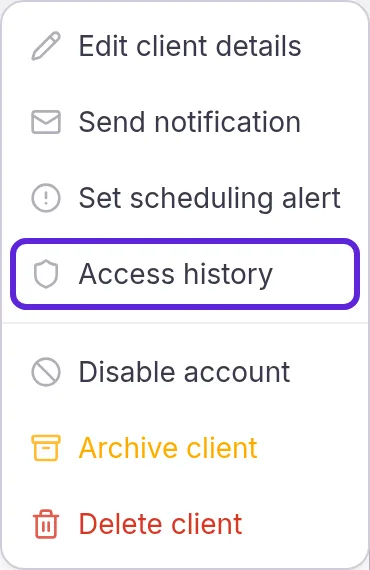
- Select More actions > Access history. The item shows to roles with HIPAA audit trail viewer, which Admins hold by default.
- Read each row: who, when and what they did. A refused attempt is marked as denied.
- Select Load more at the bottom for older entries.
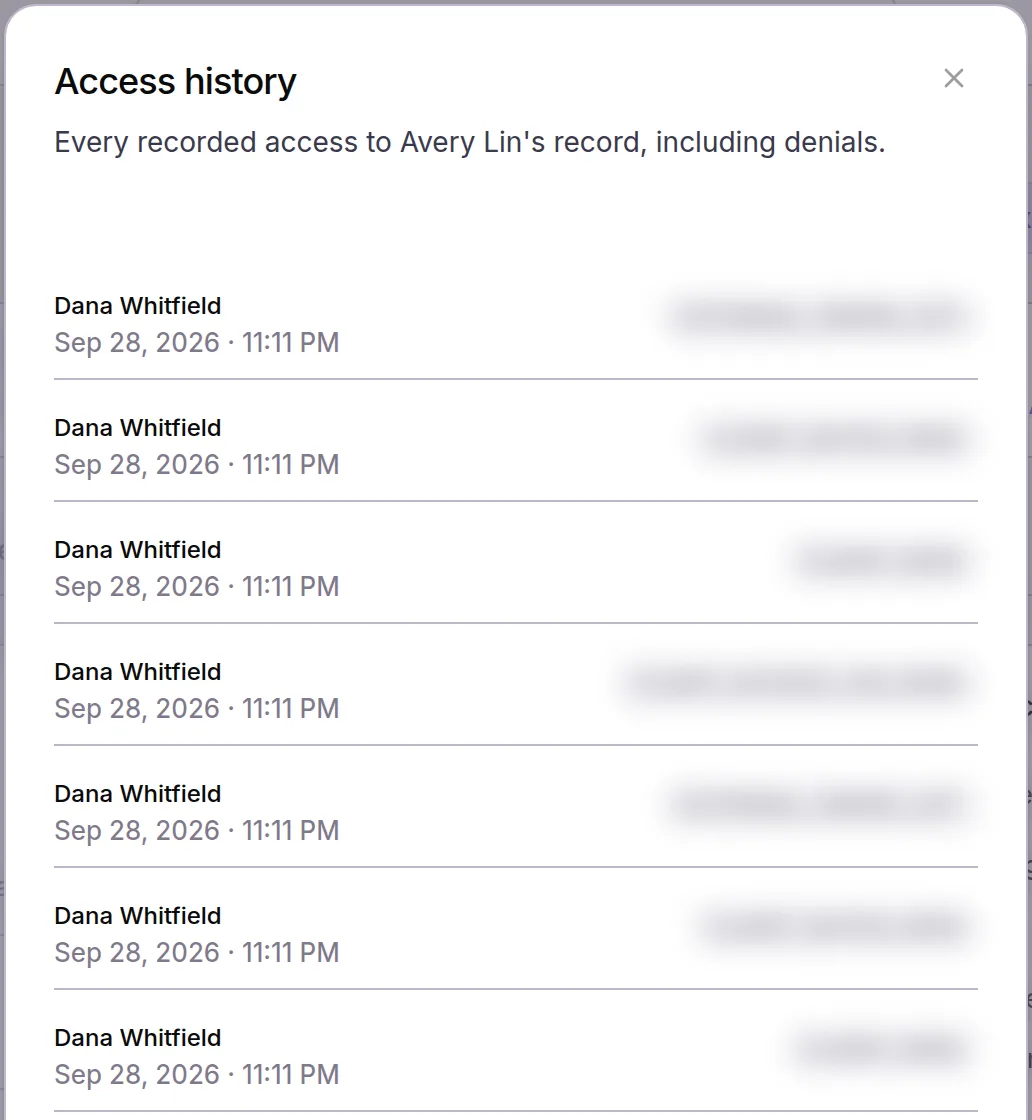
A Velarya support person working in your account shows with their first name followed by “Velarya Support”. Opening Access history is recorded too, so the list also shows who checked it.
Where is the practice-wide audit log?
The Audit Log in Velarya lists every recorded event in your practice, not just one patient’s: sign-ins, refused permissions, patient views and changes, appointment and order changes, refunds and settings changes. Open Organization settings > Audit Log, under Compliance & Billing. Choose an action in the filter, such as Client View, Client Update or Permission Denied, to narrow it, and select Load More for older events. The Audit Log needs HIPAA audit trail viewer too.
What do patients see?
In the patient app, patients see their own record and nobody else’s. Comments, the Client Note, tags, alerts and the audit trail never appear there. Push notifications and texts name what happened on the patient’s account, never the treatment or an amount, because anyone near the phone can read them. Each patient chooses their own channels, as Manage patients’ text consent and opt-outs explains.
What you can change
| Setting | Where | Default | What it does |
|---|---|---|---|
| A role’s permission levels | Organization settings > Roles & Permissions | The system roles above, locked | A copy or a custom role takes any level up to your own |
| Client name visibility | The role’s permission grid | full on the system roles and new roles | Shortens patient names for that role |
| HIPAA audit trail viewer | The role’s permission grid | Admins | Opens Access history and the Audit Log |
| Export client lists | The role’s permission grid | Admins | Shows Export on the Clients list |
| A staff member’s role | Organization settings > Staff Directory | Chosen for each staff member | Gives them that role’s permissions at every location they work at |
Where to find patient privacy settings
Roles live in Organization settings > Roles & Permissions, under Staff. One patient’s Access history is in More actions on their profile, and the practice-wide log is Organization settings > Audit Log. For where each kind of note lives and who sees it, see Add notes, tags and alerts to a patient.
Frequently asked questions
Was this guide helpful?
Last verified