
Set up referral rewards
Updated Last verified against the product
In short
To set up referral rewards in Velarya, open Organization settings > Challenges and turn on Refer a Friend. Choose points or a free service for the friend and for the referring patient, add an activation rule if the friend must spend or buy first, choose whether your team approves each referral, and select Save.
- Who can do this
- Admins and roles with Challenges (check-in/referral) at edit or above
- Applies to
- Your whole practice, every location
- Plans
- Basic, Scale, Branded and Connected
- Time
- 10 minutes
Before you begin
- Your patients use the patient app: the Velarya app, or your own app on the Branded and Connected plans. Each patient's referral code lives in the app.
- To give a free service as a reward, the service is listed in Organization settings > Service Catalog.
- To use the Buy a membership rule, you offer at least one plan in Organization settings > Memberships: see Create a membership plan.
Turn on Refer a Friend
Referral rewards live on the Refer a Friend card in Organization settings > Challenges, set once for your whole practice and every location.
- Open the menu at the bottom of the left sidebar and select Organization settings.
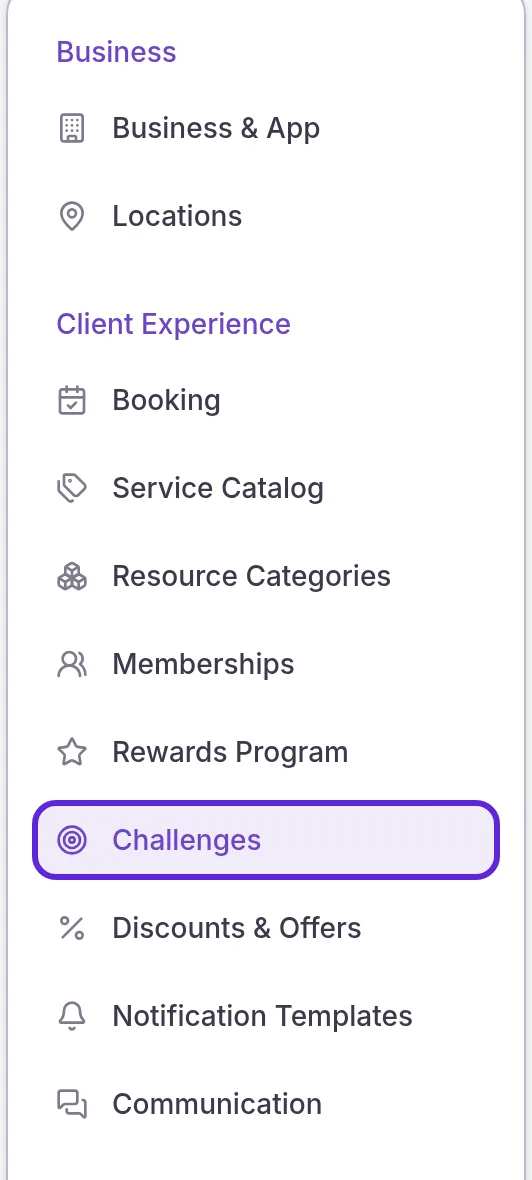
- Select Challenges under Client Experience.
- Turn on the switch in the Refer a Friend card header. The card’s settings become editable.
Choose what each patient receives
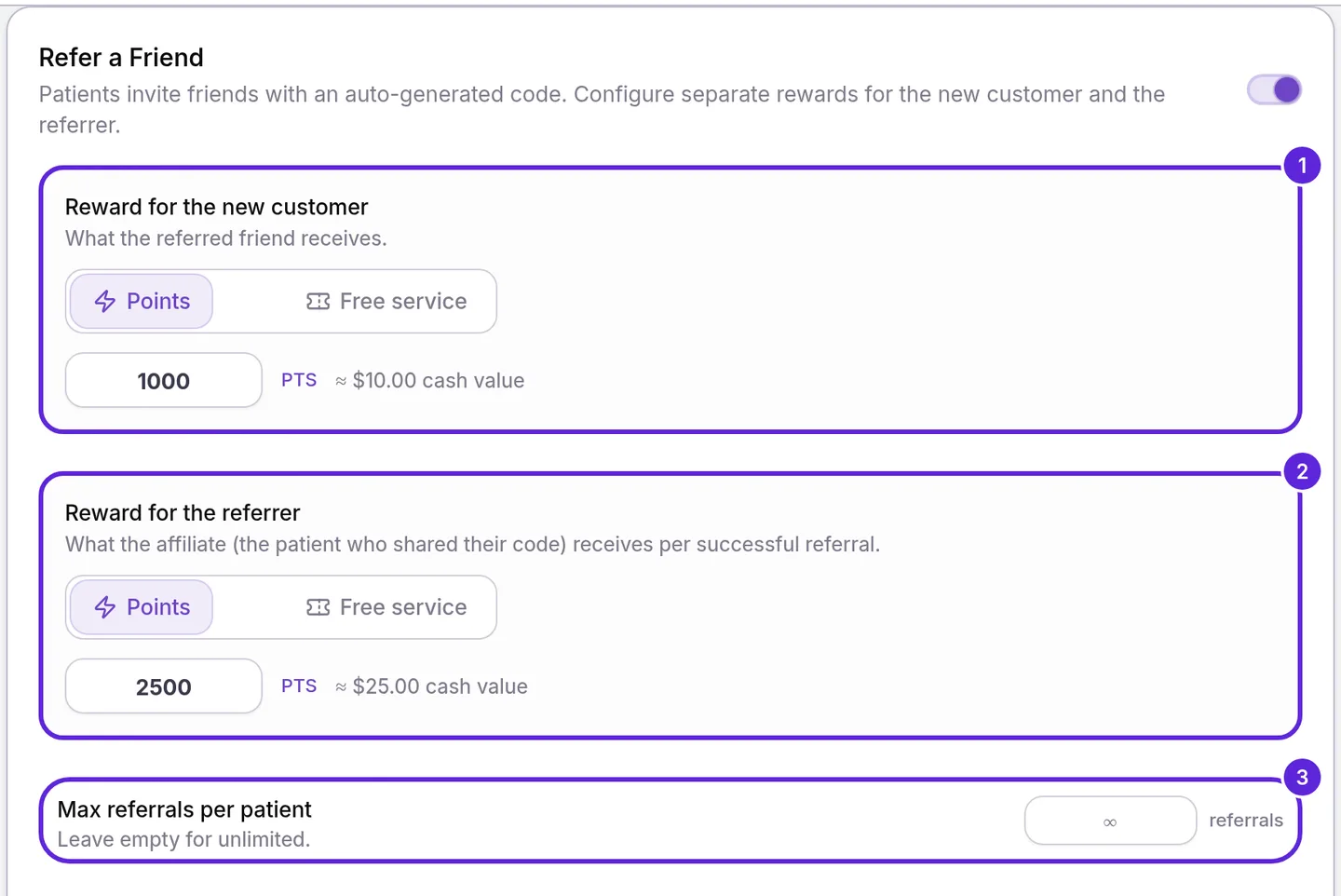
Refer a Friend rewards two patients: the friend who joins with a code (Reward for the new customer) and the patient who shared it (Reward for the referrer). Each side is set on its own.
- Choose Points or Free service under Reward for the new customer, then enter the reward:
- Points: a whole number of points. The card shows its value beside it, ≈ $10.00 cash value for 1,000 points.
- Free service: select Browse, check the service under Choose a service to comp, and select Done. The friend receives a voucher for it.
- Set Reward for the referrer the same way. To reward only the friend, enter 0 points.
- Enter the most referrals one patient can have, 1 or more, in Max referrals per patient, or leave it empty for no limit. Expired and rejected referrals free a place.
Referral points join the patient’s balance at 100 points to $1.00 of wallet credit, as How points work explains. They appear in the Point Ledger at the bottom of Rewards Program under every location, because referral rewards belong to the whole practice.
| Your settings | One rewarded referral pays | Five rewarded referrals pay the referring patient |
|---|---|---|
| Friend 1,000 points, referring patient 2,500 points | The friend 1,000 points ($10.00) and the referring patient 2,500 points ($25.00) | 12,500 points ($125.00) |
| Friend a free service, referring patient 2,500 points | The friend a voucher for that service and the referring patient 2,500 points ($25.00) | 12,500 points ($125.00) |
| Friend 1,000 points, referring patient 0 points | The friend 1,000 points ($10.00) | No referral reward |
Decide when rewards are paid
Referral rewards are paid the moment the friend joins with the code, unless you turn on Require activation or set Approve referrals to Manually. With activation on, Velarya waits until the friend meets an Activation rule within the Activation window, and counts only what the friend does after joining.
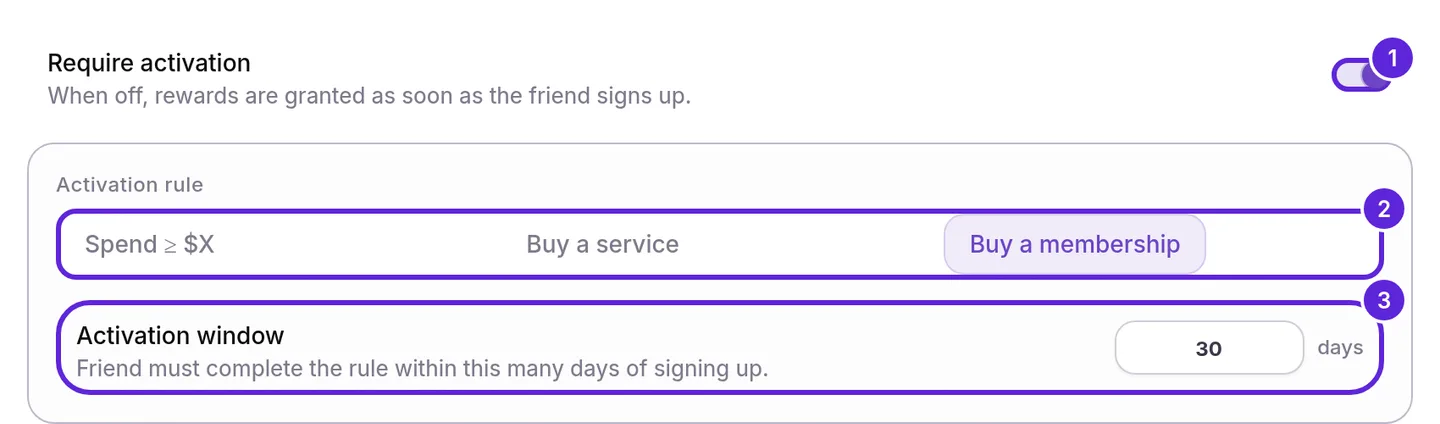
- Turn on Require activation. With it off, a referral qualifies as soon as the friend joins with the code.
- Choose an Activation rule:
- Spend ≥ $X: what the friend pays your practice after joining, less refunds, reaches the Minimum spend you enter, in whole dollars.
- Buy a service: the friend pays for a service, and it isn’t fully refunded.
- Buy a membership: the friend starts a membership plan, and it is active.
- Enter the number of days the friend has after joining in Activation window. The default is 30 days.
- Choose Automatically or Manually under Approve referrals. Manually holds each referral that qualifies as Awaiting approval in Rewards > Referrals until your team approves or rejects it.
A referral that meets the rule in time is rewarded: both patients receive their rewards at once, or when your team approves it. One that misses its window is marked Expired, and neither patient receives a reward. How referral rewards work shows how to approve and reject referrals.
Set an end date and save
A Campaign end date closes Refer a Friend at the end of the day you pick, in your practice’s time zone. Leave it empty and Refer a Friend runs with no end date.
- Pick the last day in Campaign end date, or leave it empty. With a date set, the app shows “Ends MM/DD/YYYY” on the challenge.

- Select Save in the Unsaved changes bar at the top of the page. The bar closes, and patients see the updated challenge the next time they open Rewards.

What do patients see?
Refer a Friend appears to patients under Challenges on the Rewards tab of the patient app, with a title Velarya writes from your settings:
| Your settings | Title on the patient’s card |
|---|---|
| Referring patient earns 2,500 points, no limit | Earn 2,500 pts per referral |
| Referring patient earns 2,500 points, limit of 5 | Earn up to $125 (12,500 pts) |
| Referring patient earns a free HydraFacial | Refer friends, earn a free HydraFacial |
| Referring patient earns 0 points, friend earns 1,000 | Invite a friend: they earn 1,000 points |
Tapping the card opens How it works and More need-to-knows, written from your rule, window and limit. Invite A Friend then shows the patient’s code with steps that follow your rule, and shares it with a link to your practice’s invite page. The patient’s side of a referral, from the shared code to both rewards, is in How referral rewards work.
How do referral rewards behave when you change them?
Velarya applies a saved change to the rewards or rule of Refer a Friend to referrals that are already pending. A new Activation window applies only to referrals that start after you save.
| Situation | What Velarya does |
|---|---|
| You change a reward while referrals are pending | Pays the new reward on every referral rewarded after you save |
| You change the Activation rule | Checks pending referrals against the new rule |
| You change the Activation window | Applies it to referrals that start after you save |
| You turn off Require activation | Rewards pending referrals within 5 minutes, or holds them for approval with Approve referrals set to Manually |
| You switch Approve referrals to Manually | Holds each referral that qualifies from then on as Awaiting approval |
| You switch Approve referrals to Automatically | Rewards referrals that qualify from then on; any already Awaiting approval still wait for your team |
| The Campaign end date passes | Removes the challenge from the app; new sign-ups with a code start no referral, and pending referrals can still qualify in their window |
| You turn Refer a Friend off | Removes the challenge from the app and starts no new referrals; pending referrals wait, and once you turn it back on, each qualifies if the friend meets your rule inside its window |
If something goes wrong
The card shows “Enter a points amount greater than 0”. The Reward for the new customer is set to Points with no points. Enter a whole number above 0, or choose Free service.
The card shows “Pick a service to comp”. A reward is set to Free service with no service chosen. Select Browse, check a service and select Done.
The card shows “Set an activation window” or “Set a minimum spend amount”. With Require activation on, the Activation window needs at least 1 day, and Spend ≥ $X needs a Minimum spend above $0.
The card shows “Must be a whole number”. Minimum spend is in whole dollars. Enter 50, not 49.50.
The card shows “Enter 1 or more, or leave empty for no limit”. Max referrals per patient is 0 or below, and the field is outlined in red. Enter 1 or more, or clear it for no limit.
Referrals sit at Awaiting approval and nobody is rewarded. Approve referrals is set to Manually. Approve them in Rewards > Referrals, which needs Challenges (check-in/referral) at moderate, or choose Automatically for referrals that qualify from then on.
Challenges isn’t in my Organization settings menu, or its settings are read only. Seeing the page needs Challenges (check-in/referral) at view, and changing it needs edit or above. Ask an Admin to update your role; see Loyalty roles and permissions.
A patient’s friend joined, but no referral appears in Rewards > Referrals. Velarya starts a referral when the friend enters a code from your practice as they join it in the app, including a patient already in your Clients list, while Refer a Friend is on and before its Campaign end date, if you set one. The referring patient must also be under their Max referrals per patient. How referral rewards work lists every check Velarya runs before it starts a referral.
Frequently asked questions
Was this guide helpful?
Last verified
What changed
- : Refer a Friend goes live when its rewards are saved, a new Approve referrals setting holds referrals for your team, and the activation rules count only what the friend pays after joining. The end date runs to the end of the day in your time zone, and new messages are in troubleshooting. The FAQ now shows what a patient sees at their referral limit, and pending referrals are re-checked within 5 minutes.
- : Referral points appear in the Point Ledger under every location, because referral rewards belong to the whole practice.