
How referral rewards work
Updated Last verified against the product
In short
Velarya referral rewards, the referral challenge on the Refer a Friend card, reward both the patient who refers and the friend who joins your practice with that patient's code or referral link. Once the friend meets your activation rule, if you set one, each receives the points or free service you chose, at once or after you approve the referral.
- Who can do this
- Admins and roles with Challenges (check-in/referral) at edit or above; approving referrals needs moderate
- Applies to
- Your whole practice, every location
- Plans
- Basic, Scale, Branded and Connected
- Time
- 5 minute read
What are referral rewards?
Referral rewards, the Refer a Friend challenge in Velarya, reward a patient for bringing a friend to your practice and reward the friend for joining. Every patient has a personal 6-digit referral code for your practice in the patient app, and a referral link that carries it. You decide what each side receives, points or a free service, whether the friend must spend, buy a service or buy a membership before anyone is rewarded, and whether your team approves each referral first.
Refer a Friend runs in the Velarya app and in your own app, and applies to your whole practice. Practices also call it a refer-a-friend or patient referral program.
How does a referral work?
A Velarya referral moves through six steps, from a shared code to two rewards.
- The patient shares their code. On the Rewards tab, the patient opens the referral challenge and selects Invite A Friend. The invite sheet shows their code under Your referral code with a copy button. Selecting Invite A Friend again, on that sheet, opens the phone’s share options. The message carries the code, names your practice and the friend’s reward, and links to your practice’s invite page.
- The friend joins with it. While creating their account in the app, the friend selects Have a referral code? and enters the 6 digits, or pastes them with Paste code (Paste on an iPhone). Opening the app from the invite page fills the code in, and so does pasting the whole invite message. In the Velarya app, the code also takes the friend straight to your practice, and a friend who already uses the Velarya app enters it when they add your practice. In your own app, Have a referral code? sits on the name step.
- Velarya starts the referral. It appears in your Referrals log when it meets the rules in Which referrals does Velarya reward?: Pending while the friend works toward your rule. With Require activation off, it skips straight to step 5.
- The friend meets your rule. With Require activation on, the referral qualifies when the friend meets your Activation rule inside the Activation window, and turns Expired if the window closes first.
- Your team approves the referral, if you choose. With Approve referrals set to Manually, a qualified referral waits as Awaiting approval until someone approves or rejects it. With Automatically, it moves straight on.
- Both patients are rewarded. The referral turns Rewarded, and each patient receives the reward set for their side: points on their balance, or a voucher for a free service.
Here are two referrals at a practice that gives the friend 1,000 points and the referring patient 2,500 points, asks the friend to buy a membership within 30 days, and approves referrals automatically.
| What happens | Referrals log shows | The friend receives | The referring patient receives |
|---|---|---|---|
| A friend joins with the code | Pending | Your Sign-Up Bonus, if it is on | Nothing yet |
| The friend buys a membership on day 12 | Rewarded | 1,000 points, worth $10.00 | 2,500 points, worth $25.00 |
| A second friend joins but buys no membership by day 30 | Expired | No referral reward | Nothing for that friend |
With Approve referrals set to Manually, the day-12 row reads Awaiting approval, and both rewards arrive when your team approves it.
Which referrals does Velarya reward?
Velarya starts a referral for every friend who joins your practice in the app with a code from your practice, including a patient already in your Clients list, and rewards each referral once.
| Situation | What Velarya does |
|---|---|
| The friend is the referring patient, or shares their email address or phone number | Starts no referral |
| The friend is already in your Clients list and joins the app with the code | Starts a referral; the activation rule counts only what they do after joining |
| The friend was referred to your practice before | Keeps the first referral |
| The referring patient has reached Max referrals per patient | Starts no referral; the friend still joins your practice |
| Refer a Friend is off, or its Campaign end date has passed | Starts no referral |
| The friend enters another practice’s code in your own app | Shows “This code is for a different clinic. Ask your friend for the code from this clinic.” and starts no referral |
| The friend meets your rule by paying in the app | Qualifies the referral at once |
| The friend meets your rule another way, such as paying cash at your front desk | Qualifies the referral within 5 minutes |
| The friend’s payment is refunded while the referral is Pending | Takes the refund off the friend’s spend for Spend ≥ $X; a fully refunded service doesn’t count for Buy a service |
| The friend’s payment is refunded after the referral qualifies | Keeps the referral as it is, and both patients keep any rewards already given |
What do patients see?
Patients see the referral challenge under Challenges on the Rewards tab of the patient app, titled with what they earn, such as “Earn 2,500 pts per referral”. Tapping the card opens How it works and More need-to-knows; Set up referral rewards shows what each of your settings puts on the card. Invite A Friend then opens a sheet with the patient’s own code under Your referral code, a button to copy it, and numbered steps that follow your rule. Once a patient’s referrals reach your Max referrals per patient, their challenge shows Completed, and the sheet keeps their code with “You’ve reached this program’s referral limit.” in place of the share button. Expired and rejected referrals leave the count.
The card, its steps and the invite message follow the language the patient has chosen in the app, with amounts in your practice’s currency.
The referral link opens your practice’s invite page, in the language of the patient’s invite or the friend’s browser. It reads “[Name] invited you to [practice]” with the friend’s reward, such as “Sign up with this code and get 1,000 points.”, and shows the code with Copy code. On a phone it offers Download on the App Store or Get it on Google Play and Already have the app? Open it; on a computer it shows a QR code under Scan with your phone.
The friend enters the code on Enter your referral code. A friend creating an account sees Referral code applied!, and a friend who already uses the Velarya app joins your practice straight away. When a referral is rewarded, referral points land on each patient’s balance with a notification in the app, and appear in View Activity as Referral. A free-service reward arrives as a voucher, ready to schedule. Referral points join the same balance as every other point, at 100 points to $1.00 of wallet credit; see How points work.
How do you track referrals?
The Referrals log in the Velarya dashboard lists every referral in your practice, newest first, whichever location you are working in. Above it, four counts cover the last 30 days: Codes shared, Link opens, Friends signed up (with how many came through the link) and Rewarded. Friends signed up counts referrals that started in that time, and Rewarded counts how many of those have been rewarded.
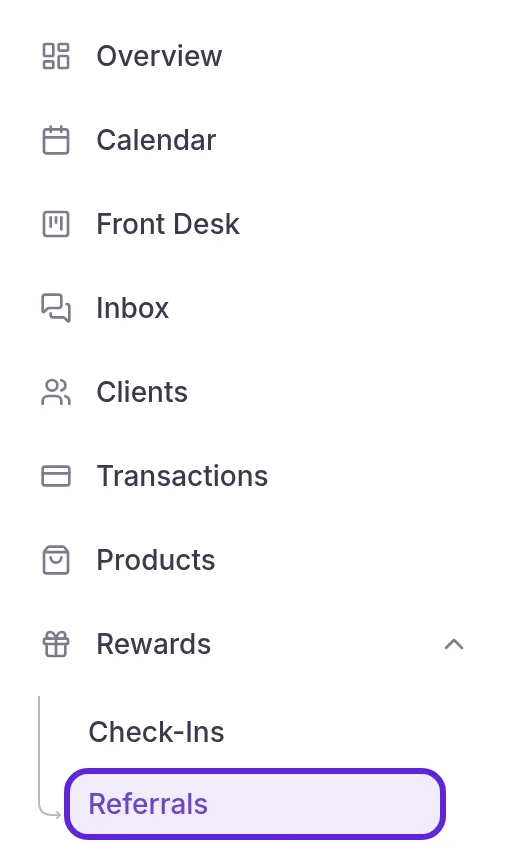
- Open Rewards in the left sidebar and select Referrals. The Referrals log opens.
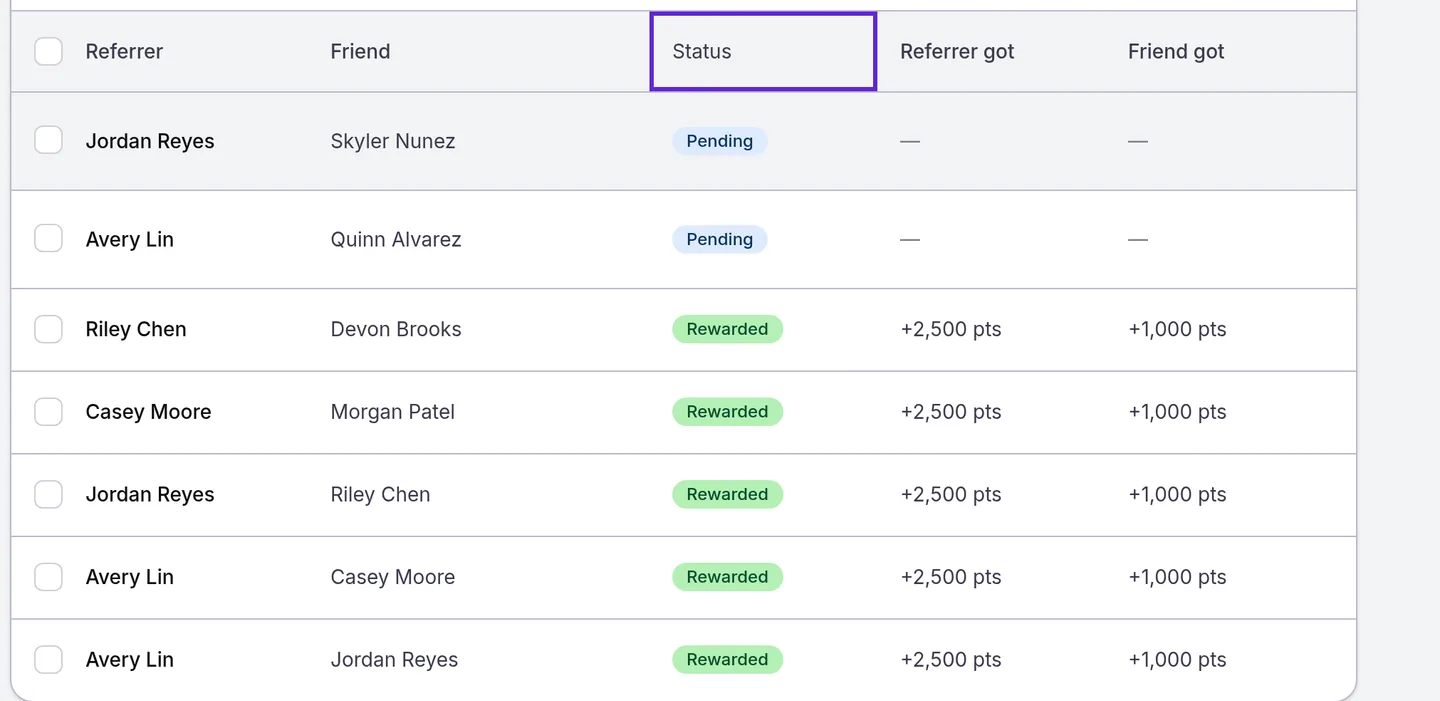
- Check the Status of each referral: Pending while the friend has time to meet your rule, Awaiting approval while it waits for your team, Rewarded once both patients are rewarded, Rejected, or Expired when the window closed first.
- Choose Awaiting approval or Rewarded in All referrals above the table to see one group.
- Select Approve in the row menu of a referral that is Awaiting approval. Both patients receive their rewards at once.
- Select Reject… in the row menu of a Pending or Awaiting approval referral.
- Enter a Reason and select Reject. Neither patient is rewarded, and the decision is final for that friend at your practice.
To decide several referrals at once, tick their rows, select Approve or Reject with the count, and confirm in the dialog, with a Reason for a rejection. The same bar offers Export CSV, Copy emails for the referring patients’ email addresses, and Copy referral IDs, and a message confirms how many were exported or copied. Export at the top of the page downloads every referral in the view.
Referrer got and Friend got show each side’s reward once a referral is Rewarded: points, or the free service by name. Source shows whether the friend came through the Link or typed the Code, Location is the location the friend chose when joining your practice, and Joined is when they joined with the code. A decided referral names who approved or rejected it under its status. A rejection’s reason shows when you point at its status, and in the export.
Patient names follow your role’s Client name visibility, on the page and in the export, and email addresses, including Copy emails, need Client personal info at view. Seeing the log needs Challenges (check-in/referral) at view or above, and approving or rejecting needs moderate, which Admins hold; see Loyalty roles and permissions. Every referral point also appears in the Point Ledger on the Rewards Program page, under every location, because referral rewards belong to the whole practice.
What you can change
Every referral rewards setting sits on the Refer a Friend card in Organization settings > Challenges and applies to your whole practice.
| Setting | Options and limits | Default | What it does |
|---|---|---|---|
| Refer a Friend switch | On or off | Off | Shows the challenge in the app and starts referrals. Before the friend’s reward is first saved, Save turns it on; after that, the switch saves as you flip it |
| Reward for the new customer | Points (1 to 1,000,000) or Free service | Points, at 0 | What the friend receives |
| Reward for the referrer | Points (0 to 1,000,000) or Free service; 0 points rewards only the friend | Points, at 0 | What the referring patient receives for each rewarded referral |
| Max referrals per patient | Empty for no limit, or 1 to 100,000 | Empty: no limit | The most referrals one patient can have at Pending, Awaiting approval or Rewarded |
| Require activation | On or off | Off | Off qualifies the referral as the friend joins; on waits for the rule |
| Activation rule | Spend ≥ $X, Buy a service, Buy a membership | Buy a membership | What the friend must do after joining; Buy a service counts a service the friend has paid for |
| Minimum spend | Whole dollars above $0; shown when you choose Spend ≥ $X | $0, so enter an amount before you save | What the friend must pay your practice after joining, less refunds |
| Activation window | 1 to 3,650 days | 30 days | How long the friend has after joining to meet the rule |
| Approve referrals | Automatically or Manually | Automatically | Manually holds each qualified referral as Awaiting approval until your team decides |
| Campaign end date | A date, or empty | Empty: no end date | The last day of the challenge, through the end of that day in your practice’s time zone, shown in the app as “Ends MM/DD/YYYY” |
Changes to rewards and the activation rule apply to referrals still pending when you save; see Set up referral rewards.
Where to find referral rewards
Referral rewards are set on the Refer a Friend card in Organization settings > Challenges.
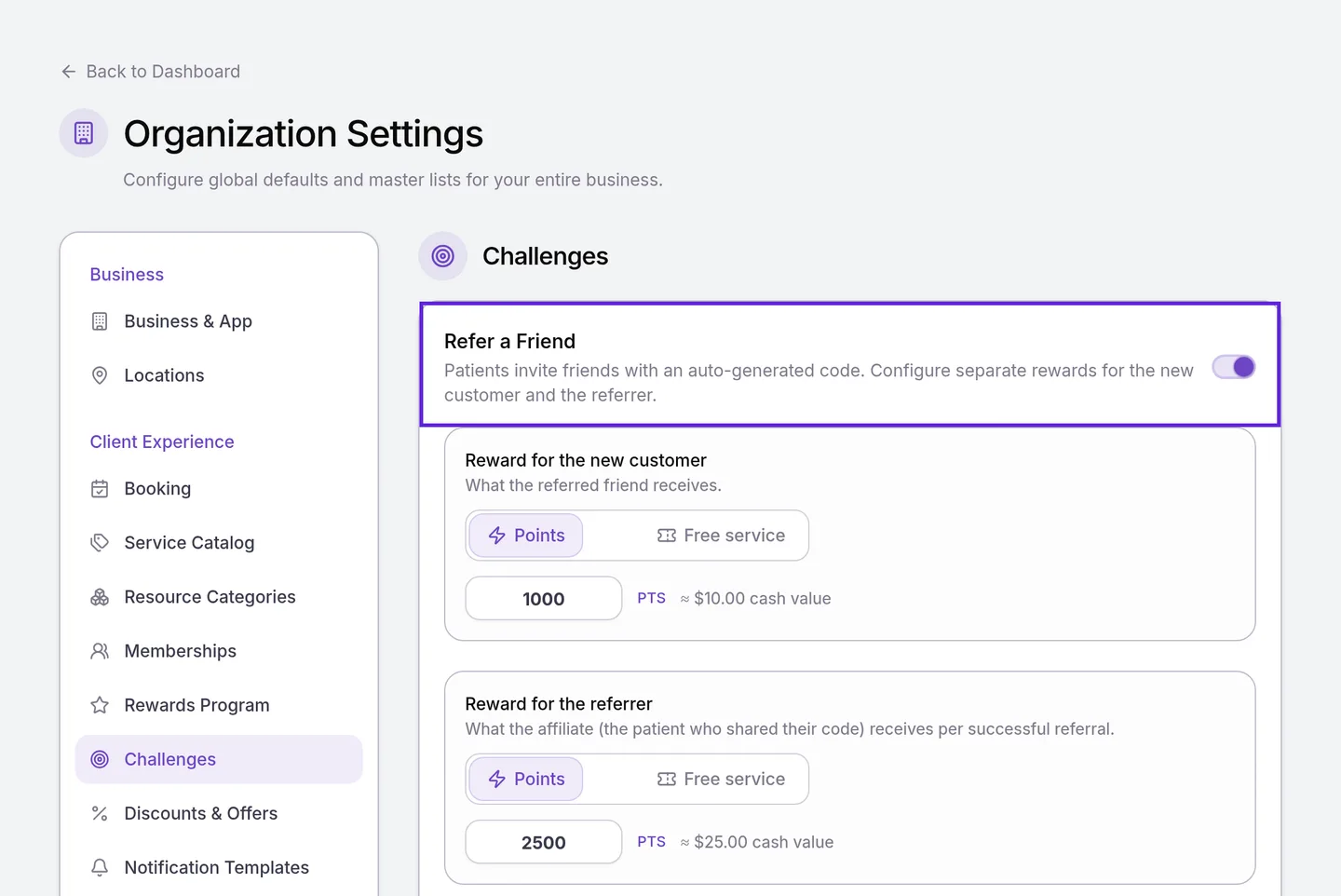
To set them up step by step, see Set up referral rewards. The Check-In challenge sits on the same page; see Set up check-in rewards.
Frequently asked questions
Was this guide helpful?
Last verified
What changed
- : Codes belong to each practice, patients share a referral link to your practice's invite page from a new invite sheet, and practices can approve referrals by hand. The Referrals log has new statuses, columns, 30-day counts and approve and reject actions, and spend counts only what the friend pays after joining. A refund after a referral qualifies leaves its rewards in place, and copying patients' email addresses needs Client personal info.
- : The Referrals log shows patient names per your role's Client name visibility, and referral points appear in the Point Ledger under every location.