
Cancel or reschedule an appointment
Updated Last verified against the product
In short
To cancel or reschedule an appointment in Velarya, open it on the Calendar or Front Desk, select ⋯ and choose Reschedule or Cancel. Inside your cancellation window you choose whether to charge the late-cancel fee. After the grace period, Mark no-show applies the no-show fee, and fees on Manual review wait in Transactions > Pending Fees for a decision.
- Who can do this
- Admins, Location Managers and Front Desk (Calendar & appointments at Manage). Deciding Pending Fees and Manual fee take Transactions / orders at Void, and Refund fee takes Issue refunds (Admins and Location Managers)
- Applies to
- Each location separately
- Plans
- Basic, Scale, Branded and Connected
- Time
- 2 minutes
Before you begin
- Your cancellation window, grace period and fees are set: Set up deposits and cancellation fees.
- The appointment is on the Calendar: Book an appointment for a patient.
Reschedule an appointment
Rescheduling in Velarya moves an appointment to a new date, time, provider or length and tells the patient the new time. Staff can reschedule any upcoming appointment from its panel on the Calendar or Front Desk.
- Select the appointment on the Calendar or Front Desk to open its panel.
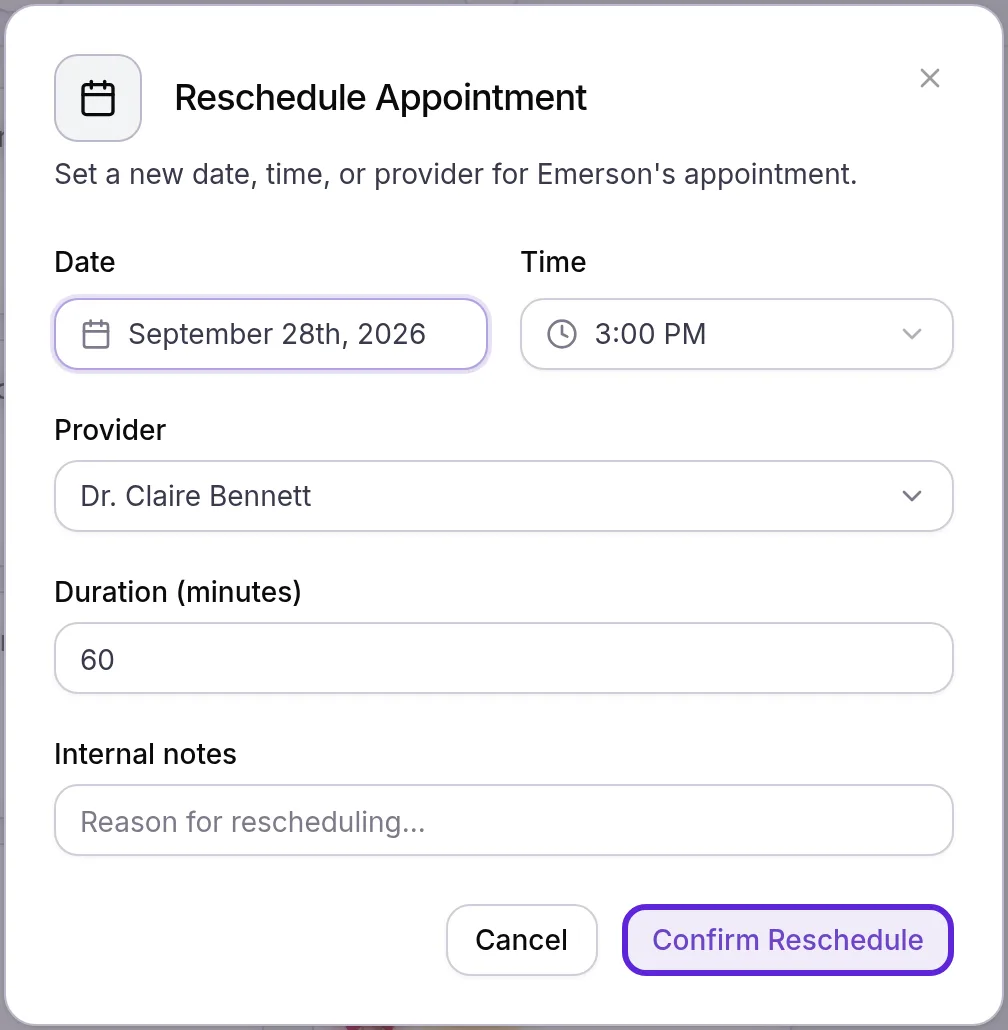
- Select ⋯ next to the main button at the foot of the panel, then Reschedule. Reschedule Appointment opens.
- Pick the new date and time. Change the Provider or Duration (minutes) if the visit needs it, and add Internal notes for your team.
- Select Confirm Reschedule. “Appointment rescheduled successfully” appears, and Velarya emails the patient and the provider the new time.
When the new time clashes with another of the provider’s or the patient’s bookings, a room or device already in use, or a provider who isn’t assigned to the service, This conflicts with the schedule lists the clash. Select Save anyway to keep the move, or Go back. A time outside your hours or booking window saves with a warning.
Move or resize an appointment on the Calendar
Dragging an appointment on the Velarya Calendar moves it to a new time, or into another provider’s column to hand it to them.
- Drag the appointment to its new time or provider column. Reschedule appointment? opens with the new time and provider.
- Adjust the Start time if you need to.
- Clear Notify client about the new time to move the visit without telling the patient. It is selected until you clear it.
- Select Move appointment. “Appointment rescheduled” appears, or “Booking rescheduled” for a visit with several services, which moves as one; the dialog then starts with “All 2 services”.
To make a visit longer or shorter, drag its bottom edge, then confirm Change appointment duration? with Update duration. Checked-out and cancelled visits stay where they are.
Cancel an appointment
Cancelling in Velarya frees the time, refunds what was paid for the service unless you keep a late-cancel fee, and emails the patient. You decide whether to charge the fee each time.
- Open the appointment’s panel, select ⋯, then Cancel.
- Read Cancel appointment?. It names the service being cancelled and says what happens to any payment.
- Inside your Cancellation window, with a late-cancel fee set, select Charge the late-cancel fee to charge it. The box names the fee, as in “Charge the late-cancel fee ($25.00)”, and reads Keep the deposit as the late-cancel fee when the fee type keeps the deposit. Leave it cleared to waive the fee.
- When your waitlist is on, select Skip waitlist notification if matching patients should not be told about the opening. Set up the waitlist covers how they are told.
- Add a Reason if you like. It is optional and saved in the audit log.
- Select Cancel appointment. A message confirms the cancellation and what happened to the money, such as “late-cancel fee charged”, “late-cancel fee queued for review” or “payment refunded”. Keep appointment closes the dialog without cancelling.
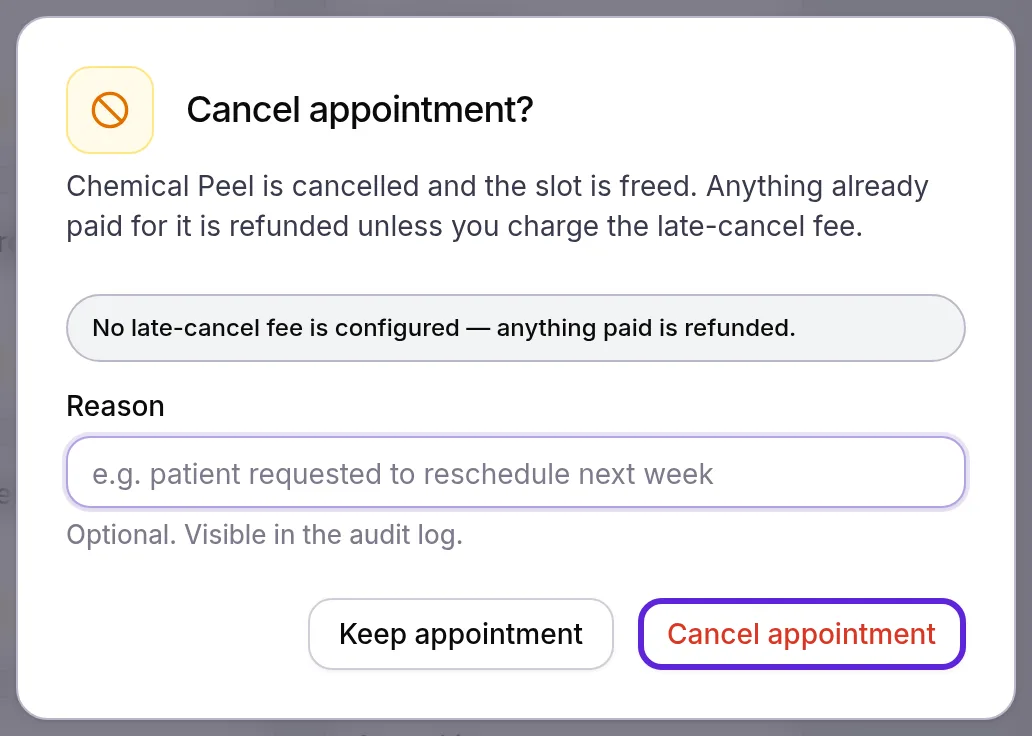
When no fee can apply, the dialog says why instead of showing the box: no late-cancel fee is set, the patient’s online booking is still waiting for payment, the booking was made less than 15 minutes ago, the time is outside the window, no deposit was paid for a fee that keeps the deposit, or the patient has no card on file. A cancelled appointment stays on the Calendar, faded and struck through.
On a visit with several services, Cancel cancels the service you opened. The dialog says “Only Hydrafacial is cancelled” and the others stay booked, and any refund is limited to that service’s share.
Mark a no-show
A no-show in Velarya is marked by a member of your team from the appointment, so a person decides every time. Mark no-show opens once the start time plus your No-show grace period, 15 minutes unless you change it, has passed.
- Open the appointment’s panel. It must be in Upcoming or Confirmed, since a patient who arrived is no longer a no-show.
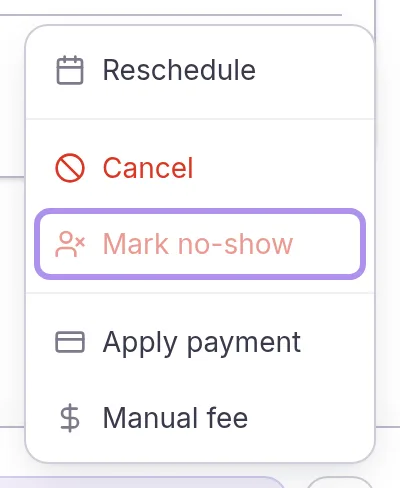
- Select ⋯, then Mark no-show. Until the grace period has passed, the item is unavailable.
- Read Mark as no-show?. It says whether a fee applies and how it is collected.
- Select Mark no-show. The appointment becomes a no-show, and a message states what happened to the fee.
Undo a no-show or restore a cancellation
Velarya puts a no-show or cancelled appointment back on the schedule from its panel, and gives back any fee it took.
- Open the appointment’s panel and select More actions.
- Select Undo no-show on a no-show, or Restore appointment on a cancelled appointment.
- On a no-show, select Reverse no-show in Reverse no-show?. The appointment returns to Upcoming.
If the time has been taken since, This conflicts with the schedule asks before Save anyway. Velarya voids a fee waiting in Pending Fees, refunds a fee charged to the card and gives back a kept deposit. A fee kept from what the patient paid is returned with a refund on the sale in Transactions. A payment refunded at cancellation is collected again at checkout.
Refund or add a fee
Refund fee in Velarya returns a fee charged to the card, and Manual fee charges a one-off amount to the card on file.
- Open the appointment’s panel and select More actions, or ⋯ on a visit that is not a no-show or cancelled.
- Select Refund fee on a no-show or late-cancelled appointment, or Manual fee on any appointment.
- In Refund fee, leave Amount (optional) blank for the whole fee. In Charge a manual fee, enter the Amount.
- Add a Reason. It is saved in the audit log, and a manual fee requires one.
- Select Refund, or the Charge button with the amount. “Fee refunded.” or a message such as “Charged $40.00 to card on file.” appears.
If the card is declined, the manual fee waits in Pending Fees with Charge failed.
Handle fees waiting in Pending Fees
Pending Fees in Velarya lists every late-cancel, no-show and manual fee that is waiting for a decision: fees on Manual review, and fees that couldn’t be charged automatically.
- Select Transactions in the left sidebar.
- Select the Search transactions… box, choose Status under Add filter, then Pending Fees.
- Read each row: the patient, No-show, Late cancellation or Manual fee, why it is waiting (Manual review, No card on file, Charge failed or 3DS required), the amount, the service and appointment time, and when it was queued.
- Choose Approve & charge to charge the patient’s card on file, Comp to waive the fee, or Dismiss to drop it. “Fee charged successfully”, “Fee comped” or “Fee dismissed” confirms it, and the row leaves the list.
For No card on file, add the patient’s card from Stored Methods on their profile, then choose Approve & charge.

If the card is declined, the fee stays in the list with Charge failed so you can try again or decide otherwise. The patient gets a receipt for every fee charged.
What do patients see?
Velarya tells patients when your team cancels or moves an appointment and when a fee is charged or refunded, and patients can cancel and reschedule their own upcoming appointments in the patient app.
- Emails. Velarya emails the patient when an appointment is cancelled or moved, with the new time for a move, unless you clear Notify client about the new time when you drag it. The provider is told too.
- Fees. A fee charged to the card, from Auto-charge or Approve & charge, comes with a notice such as “No-show fee charged”, and Refund fee sends a refund notice.
- Cancelling in the app. Inside your window, the app shows the fee before the patient confirms and says whether staff review it first. Afterwards it tells them the outcome, such as “A late-cancellation fee has been charged, per the clinic policy.”
- Rescheduling in the app. Outside the window, patients pick a new time themselves. Inside it, the app shows Too close to change online with your booking phone number or WhatsApp.
How do cancellations and no-shows behave?
Velarya settles every cancellation and no-show by the booking’s own policy, as it stood when the patient booked.
| Situation | What Velarya does |
|---|---|
| Staff cancel without the fee | Refunds what was paid for that service |
| A patient cancels in the app inside the window | Applies the fee by its charge mode: charged at once on Auto-charge, or sent to Pending Fees on Manual review |
| The policy changed after the patient booked | Uses the cancellation window, fee, charge mode and grace period in force when they booked |
| Waitlisted patients match the freed time | Notifies them in join order, unless you select Skip waitlist notification |
Set up deposits and cancellation fees shows how each fee is collected and works through what a late cancellation costs with a deposit.
If something goes wrong
Mark no-show is grayed out, or “Cannot mark no-show before the grace period elapses.” The start time plus the No-show grace period hasn’t passed. Wait, then try again. The item is missing entirely once the patient is Arrived or later.
“This client has no card on file, so the late-cancel fee cannot be collected.” A late-cancel fee needs a saved card, unless it keeps a deposit. Add the patient’s card from Stored Methods on their profile before you cancel, or cancel without the fee.
“Booked less than 15 minutes ago.” Velarya never charges a late-cancel fee on a booking made in the last 15 minutes, so a quick correction costs the patient nothing.
“Outside the 24h cancellation window.” The appointment is further away than your Cancellation window, so no late fee applies. The number follows your window.
“Appointment is not in a cancellable state” The appointment is already cancelled, marked a no-show or completed, often by a teammate. Close the panel and open it again to see its current state.
“No charged fee found to refund for this appointment” No fee was charged to the card for this appointment. A fee kept from what the patient had paid is part of that payment, so return it with a refund on the sale in Transactions, as Refund a payment shows.
A patient says they can’t move a visit in the app. It is inside your cancellation window, so the app sends them to you. Reschedule it from the Calendar or Front Desk.
Frequently asked questions
Was this guide helpful?
Last verified